The Anniversary Flyer That Was Printed Three Times
By Yemi Ogundairo on
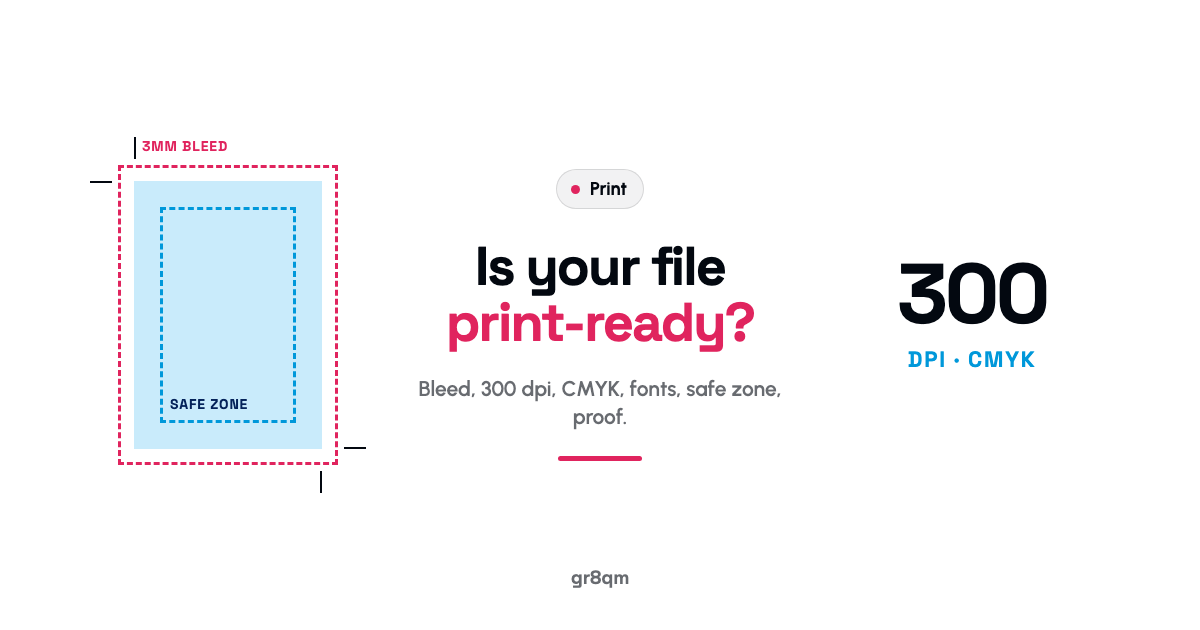
A print-ready file is a PDF at the exact finished size plus 3mm of bleed on every side, with images at 300 dpi at the size they will print, colours set in CMYK, fonts embedded, and all important text at least 3mm inside the trim line, ideally 5mm. Get those six things right and a printer can put your file straight on the press. Miss one and you get a blurry logo, a white sliver at the edge, text sliced off, or colours that look nothing like your screen.
Each of those failures happened to one flyer in the story below. Segun is a composite, but every reprint in it is a common one.
Three reprints and a Saturday deadline
Segun was on the planning committee for his church's tenth anniversary. His job was the flyer: A5, full colour, five hundred copies, ready for the Sunday before the event. He designed it himself on his laptop one evening. It looked lovely on screen.
The first print came back with the church logo blurred and blocky. He had taken it from the church WhatsApp group, where it had been sent and resent until it was a fraction of its original quality. On a phone it looked fine. At A5, printed, it did not.
The second print, with a better logo, had a thin white line along two edges of every flyer, because his background colour stopped exactly at the edge of the page. And the date at the bottom, placed right against the edge, had been partly trimmed off on some copies.
The third print fixed the edges but the bright royal blue he loved came out duller and slightly purple. Nobody had told him his file was in RGB.
The fourth print was right. It went out on the Saturday, a day before it was needed, and the committee had paid for four print runs.
1. Size, plus bleed
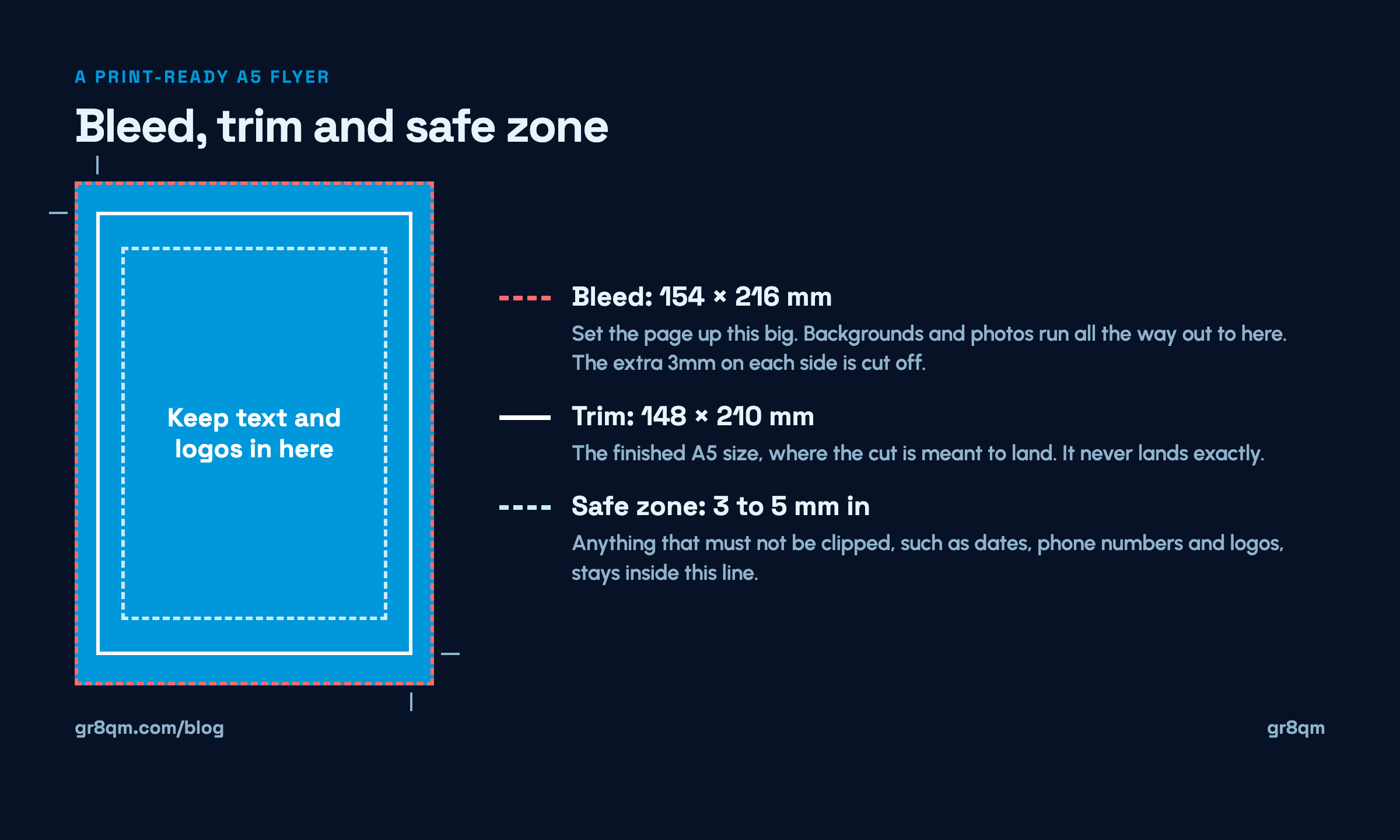
Bleed is extra background that extends past the edge of the finished page, usually 3mm on every side. Printers print on larger sheets and trim down, and the cut is never perfectly exact. If your colour or photo stops exactly at the edge, any tiny shift in the cut leaves a white sliver.
So an A5 flyer, 148mm by 210mm, should be set up at 154mm by 216mm, with backgrounds and images running all the way out to the bigger edge. The extra 3mm is cut off. It is there so the cut has room to be slightly wrong.
2. The safe zone
The opposite problem. Anything important, text, logos, phone numbers, dates, must sit comfortably inside the finished edge, at least 3mm in and ideally 5mm. That zone protects your content when the cut drifts inwards rather than outwards. Segun's date was right on the edge, so on some copies it got clipped.
3. Resolution: 300 dpi at printed size
Screens look sharp at low resolution. Print does not. For anything held in the hand, flyers, cards, brochures, images should be 300 dots per inch at the size they actually print.
In practice that means an image filling an A5 flyer needs to be roughly 1,750 by 2,480 pixels. A logo copied from a website, a social media post or a WhatsApp chat is almost never that big. WhatsApp in particular compresses images, so anything that has been forwarded a few times has lost detail you cannot get back.
Ask for the original logo file. A vector file, usually ending in .ai, .eps, .svg or a PDF from the designer, prints sharp at any size.
Large banners are the exception. They are seen from further away, so they can work at lower resolution. Your printer will tell you what they need for each size.
4. Colour mode: CMYK
Screens make colour with light, in RGB. Printers make colour with ink, in CMYK: cyan, magenta, yellow and black. Some of the brightest screen colours, especially vivid blues, greens and oranges, simply cannot be reproduced in ink. If you send an RGB file, it gets converted at the printer, and the results can surprise you.
Convert to CMYK yourself before you send the file, and look at the result on screen. If your bright blue goes dull in conversion, you see it then, not after five hundred copies. We wrote a whole piece on why print colours come out different if you want the detail.
5. Fonts embedded or outlined
If the printer's computer does not have your font, it substitutes another, and your carefully chosen heading arrives in something plain. Exporting as a PDF with fonts embedded avoids this. Your design tool will have an option for it in the export settings.
6. Send a PDF, and ask for a proof
Send a high-quality print PDF rather than a Word document, a JPEG, or a screenshot. A PDF keeps your layout, fonts and colours fixed.
Then ask for a proof before the full run. A digital proof shows layout problems. A single printed proof shows colour and resolution problems. For anything with a big run or a big occasion attached, a printed proof is worth the small extra cost and a day's wait.
The checklist
Page set to finished size plus 3mm bleed on every side.
Backgrounds and images run all the way to the bleed edge.
Text and logos at least 3mm, ideally 5mm, inside the trim line.
Images 300 dpi at printed size. Logos from the original file, not WhatsApp.
Colour mode converted to CMYK, and checked on screen afterwards.
Fonts embedded, exported as a print PDF.
A proof requested before the full run.
Seven checks, ten minutes. Segun's committee would have paid for one print run instead of four.
If you are not sure your file is ready, send it to our print shop before you order. We print flyers, cards, brochures and banners, and we would rather tell you what needs fixing than print it twice.